Presentation of the DétruiRAT Mini-Prise Trap
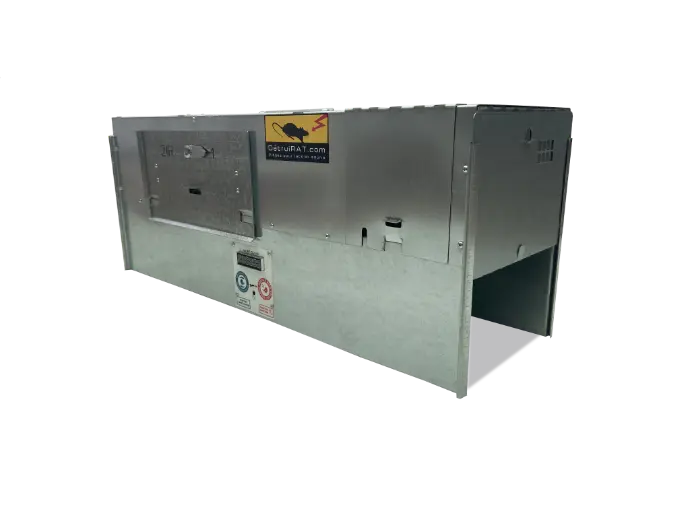
An identical base
The DétruiRAT® Mini-Prise and Kill or Live traps are made on the same base and have identical programming.
They can trap and electrocute a rat, mouse or other rodent in a single night. The only difference is that Dead or Alive offers the option of capturing the animal, dead or alive.
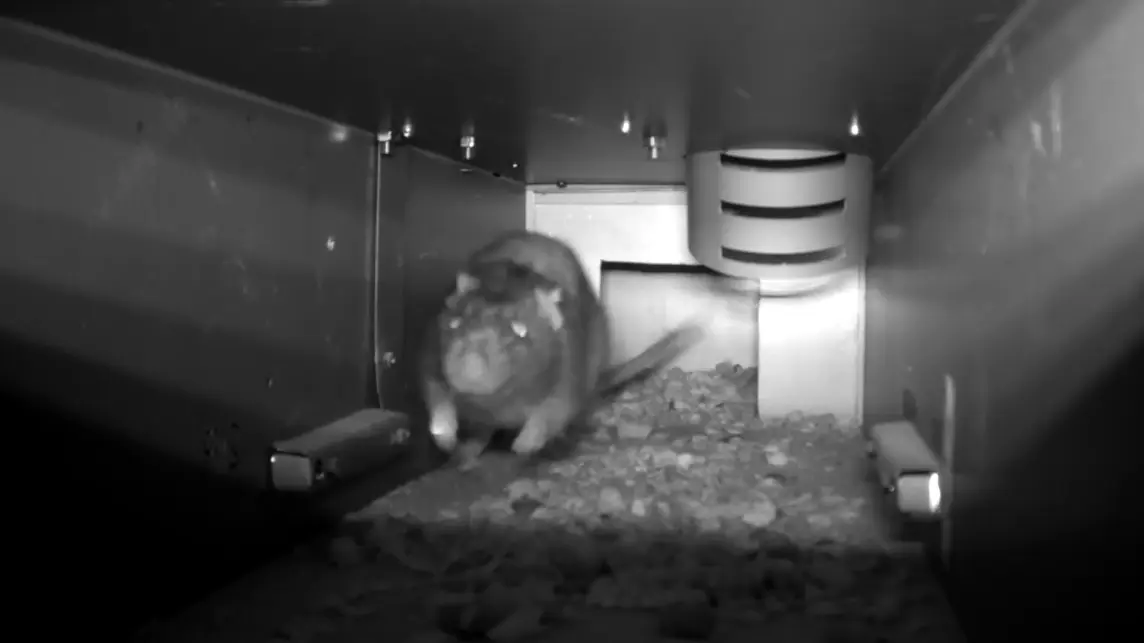
An electrocution cell
When a rat enters the trap, an infrared barrier activates two electromagnets that cause the two doors to close in less than 120 milliseconds. Trapped, the rat attempts to escape and heads towards the electrocution chamber where it receives a shock of 6,000 V, electrocuting it instantly and without suffering.
The conduit leading to the electrocution chamber has an internal diameter of 75 mm. Mice, young rats, adult rats, and dominant rats can easily slip into the electrocution chamber. Hedgehogs, pigeons, chickens, adult cats, and other animals too large to pass through this 75 mm conduit will not be electrocuted and will remain in the trap.
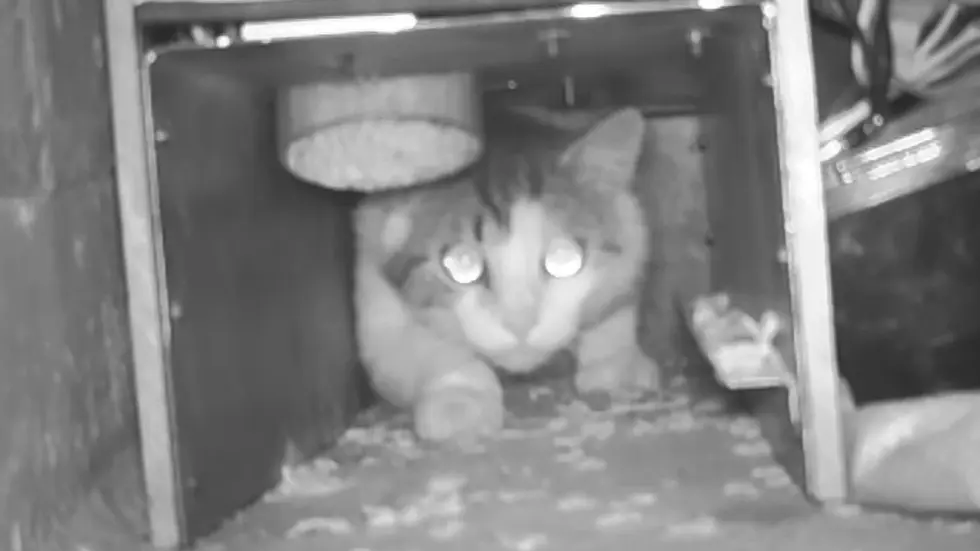
Caution for pets
Exercise great caution with your pets such as kittens, chicks, birds, or any other animal, as the trap makes no distinction and electrocutes any animal or bird that can reach the electrocution chamber. The DétruiRAT® traps cannot differentiate a protected animal from other rodents.
After trapping and electrocution, the Maxi-Prise automatically resets itself after five minutes and has no catch limit. It stops trapping once the tray is full.

The traps are equipped with abird protection mode. If you slide the switch to the left in “Bird Protection” mode, the trap automatically stops at dawn and resumes operation at dusk. This allows you to avoid trapping birds during the day.
Despite this safety feature, if there is a proven risk of trapping birds or pets, opt for theDétruiRAT® Liveor theDétruiRAT® Dead or Live trapset to“live” position.
After a capture, if you wish, you can release the captured animal or bird, and if you have trapped a rodent, you can turn the lever to“Dead” position: it will be electrocuted as soon as it reaches the electrocution cell.
If the trap has made a capture in daylight or in the presence of a sufficient light source, a beep will warn you. Follow the information on the screen. You can remove the body without touching it, using a shovel or pick-up.

230V-12V DC adapter connection
Each trap comes with a 230 V - 12V DC adapter. Never use another adapter or an adapter from another type of DétruiRAT® trap, as each type of DétruiRAT® trap has its own type of adapter.
The 230 V - 12 V DC adapter is equipped with a 2-metre cord and is located in the battery compartment.
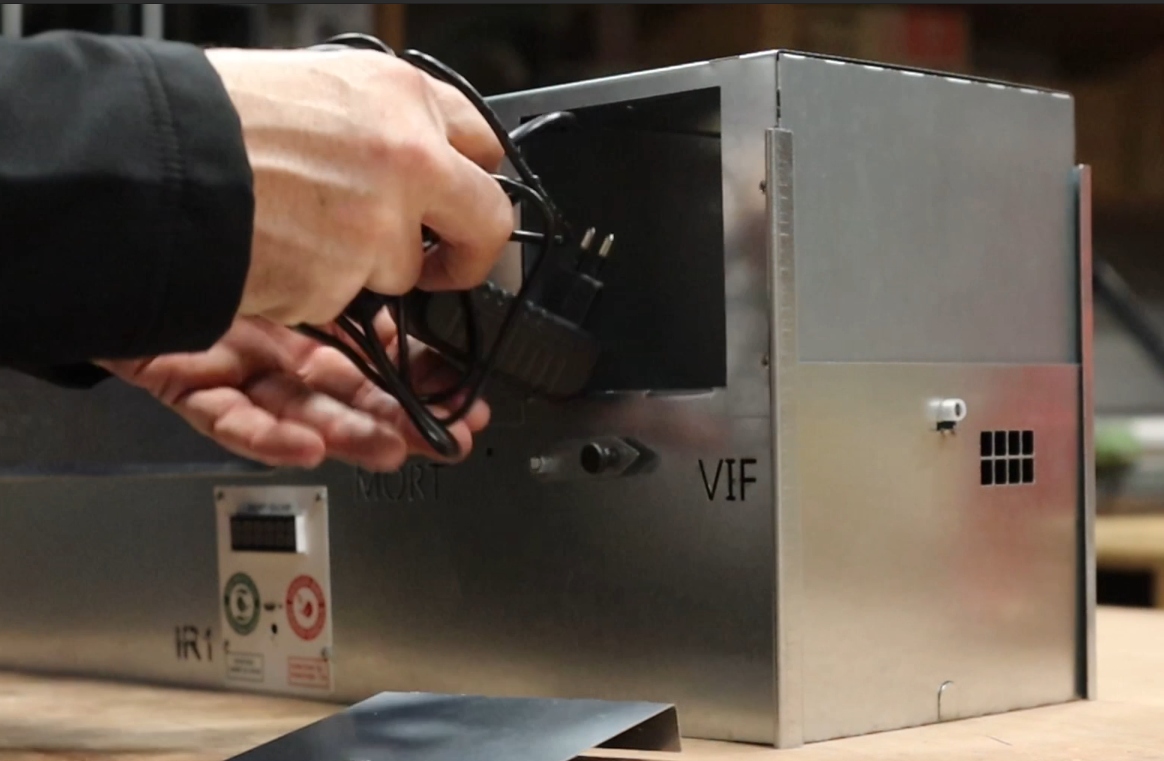
Connect the male cord of the adapter to the female cord of the trap. The battery door is located on the upper right side of the trap.
To access the battery, lift this door. At the battery location, in the back wall, you will find a hole to pass the cord to the back of the trap, preventing the cables from dragging on the ground or on the front of the trap.
Once the power is connected, press the pivot of the electromagnet and manually lift both doors. The pivot of the electromagnet allows the door to close and lock.
Be careful not to place bait under the door, as this could prevent the door from locking.
Setting the trap
To activate the trap, turn the lever to the right to position 1. The lever is an integral part of the door that provides access to the electrocution cell. It is used to start the trap and lock access to the electrocution cell.
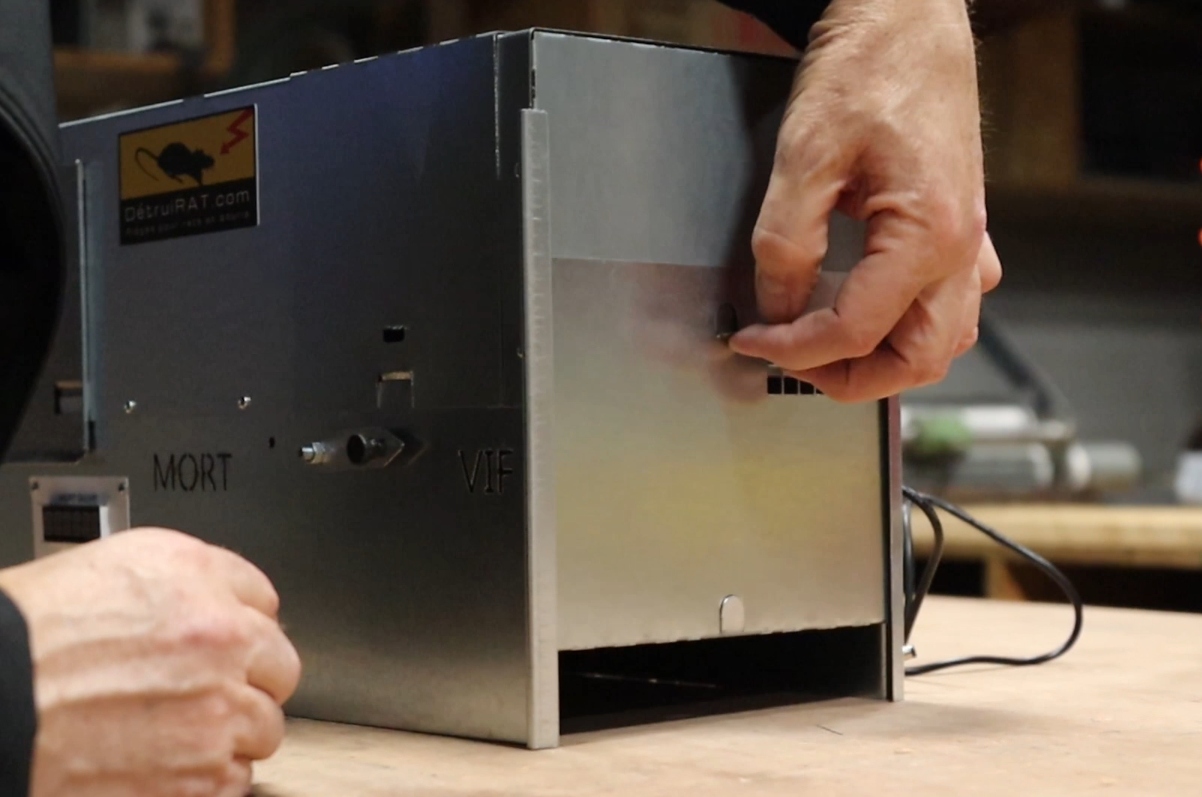
The trap has two safety features, one resting on the face of the electrocution cell and the other activated by the lever when the trap is locked.
By turning the lever a quarter turn to the right to position 1, you activate the trap.
The trap in action
A short beep followed by a second short beep will indicate that the activation has been carried out correctly, and the display will show 12 V.
A long repetitive beep will indicate a fault. The digital display will provide you with information about the problem.
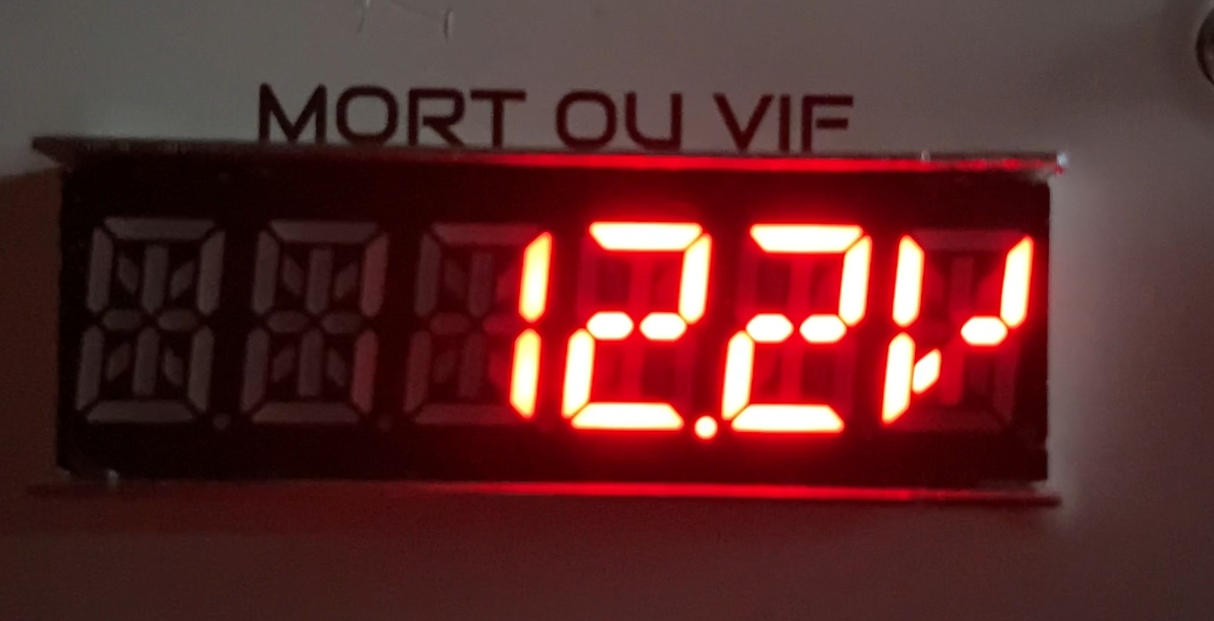
Before starting the trap, refer to the description of the beeps and information on the display.
For the Dead or Live trap, by loosening the small knob on the lever, you can position the lever in "dead" or "live" mode. By default, the trap is set to "live" mode.