A problem with your DétruiRAT Maxi-Prises trap...
here's how to solve it easily!
A problem with your DétruiRAT Maxi-Prises trap...
here's how to solve it easily!
 Our AI assistant is at your disposal
I need to carry out some work on my trap – how can I organise my own after-sales service?
Electrocution problem, cleaning the electrodes.
For the Maxi-Prise trap, it is crucial that the number of rodents electrocuted corresponds to the number displayed on the screen. Otherwise, an electrocution problem could occur. Disconnect the trap and clean the four electrodes with a brass wire brush or metal sponge. Check the cable located below the electrocution cell on the left-hand side.
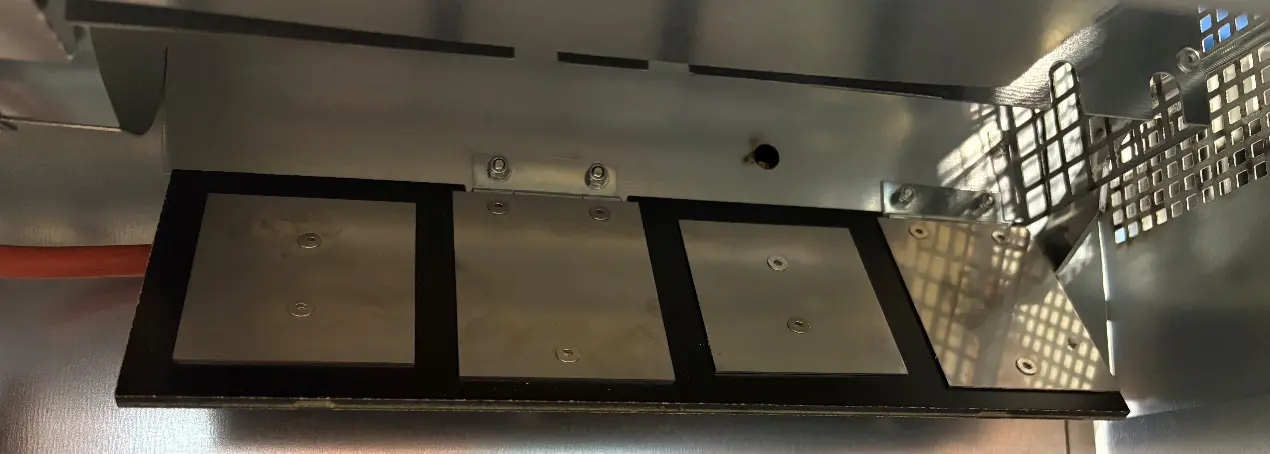
To access the interior, disconnect the trap's power supply and remove the tray. In the trap, where the tray is located, on the left, there is a half-moon-shaped opening in the metal sheet. There is a pivot that you can activate to turn it halfway. Doing so will open or close the two doors and the electrocution cell. This pivot also allows you to check whether there is any stiffness in the trap mechanism. In the correct position, this will make it easier for you to clean the four electrodes. To do this, please wear clean, odourless gloves and a mask to avoid inhaling dust. When brushing the electrodes, hold the back of the electrocution cell plate so as not to put pressure on the mechanism's connecting rods.
For Mini-Prise and Mort ou Vif traps, simply disconnect the trap's power supply, unlock the front of the electrocution chamber, open it and clean the electrodes. Be careful not to damage the infrared sensors inside the trap.
IR error message: infrared
Depending on where the traps are used and their environment, dust or other elements may accumulate.
If you hear a continuous beep and see IR1, IR2 or IR3 displayed on the digital screen when you activate the DétruiRAT traps, remove the object obstructing the infrared barrier.
If the problem persists, clean the infrared protectors by wiping them with a clean, unscented, slightly damp cloth, removing any nests, cobwebs, etc. You can also use cleaning wipes. You can remove the infrared cover, which will allow you to clean them properly from the inside, including the infrared LEDs.
Electrical problem
My DétruiRAT Maxi-Prises trap won't turn on!
If you have a problem starting up or with the power supply, do not panic. We will explain what to do.
The 12V DC 3A low-voltage transformer ensures that your trap works properly. A less powerful power supply will not allow your trap to function correctly! A power supply in good condition is essential. If it is damaged, or if your cable is damaged, this simple detail may cause your trap to malfunction or damage the electronics, which is obviously not covered by the warranty!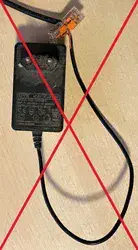
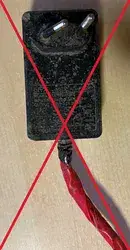
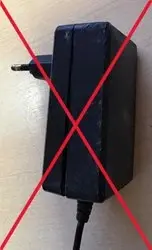
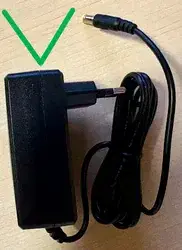
Animals may bite through the cable, pull it out, or damage the power supply box, causing a short circuit that could burn out the electronic components of your trap, rendering it unusable!
Your power supply box needs to be replaced, order some straight away.Shop
Mechanical problem
My DétruiRAT Maxi-Prises trap lights up, but the doors won't open!
A minor mechanical problem? Don't panic, we'll explain what to do.
Control and operation of the Maxi-Prise
If you have any doubts about how your trap works, in this video we explain the basics of how your DétruiRAT Maxi-Prises trap works.
Intervention on the DétruiRAT Maxi-Prises trap
In this after-sales service video, find out how to check that the microswitch and the PCB (the circuit board in your trap) are working properly, as well as how to adjust the linkage on your DétruiRAT Maxi-Prises trap if necessary.
This procedure allows for a quick check of the main electronic elements
to ensure the correct functioning of the trap.